Enterprise File Management for Your Organization
SAM Files delivers Google Drive / Nextcloud-grade file storage with secure sharing, version history, file preview, WebDAV protocol support, team workspaces, and deep SAM Mail integration — all within your organization's infrastructure.
Everything You Need to Manage Files
Upload, organize, navigate, and find your files with a professional file management interface
File Upload
Single and multi-file upload with drag-and-drop support. Resumable chunked uploads ensure large files transfer reliably even on unstable connections.
Folder Management
Create, rename, move, and delete folders with full hierarchy support. Breadcrumb-based navigation lets users traverse deep folder structures with ease.
Star & Favorites
Star files and folders for quick access. A dedicated Starred view shows all favorited items in one place, eliminating the need to navigate back to nested folders.
Trash & Restore
Soft delete moves files to Trash instead of permanent removal. Restore any deleted file or empty the entire trash when ready. Nothing is lost by accident.
Advanced Search
Multi-filter search by file name, type, tags, date, size, and owner. A dedicated search page supports complex queries and multi-tag filtering.
Color-Coded Tags
Create, assign, and manage color-coded tags on files. Tag badges appear on file cards, a sidebar section shows tag counts, and bulk tagging applies tags to multiple files at once.
Secure Sharing and Version History
Share files with public links, password protection, and expiration — and track every version automatically
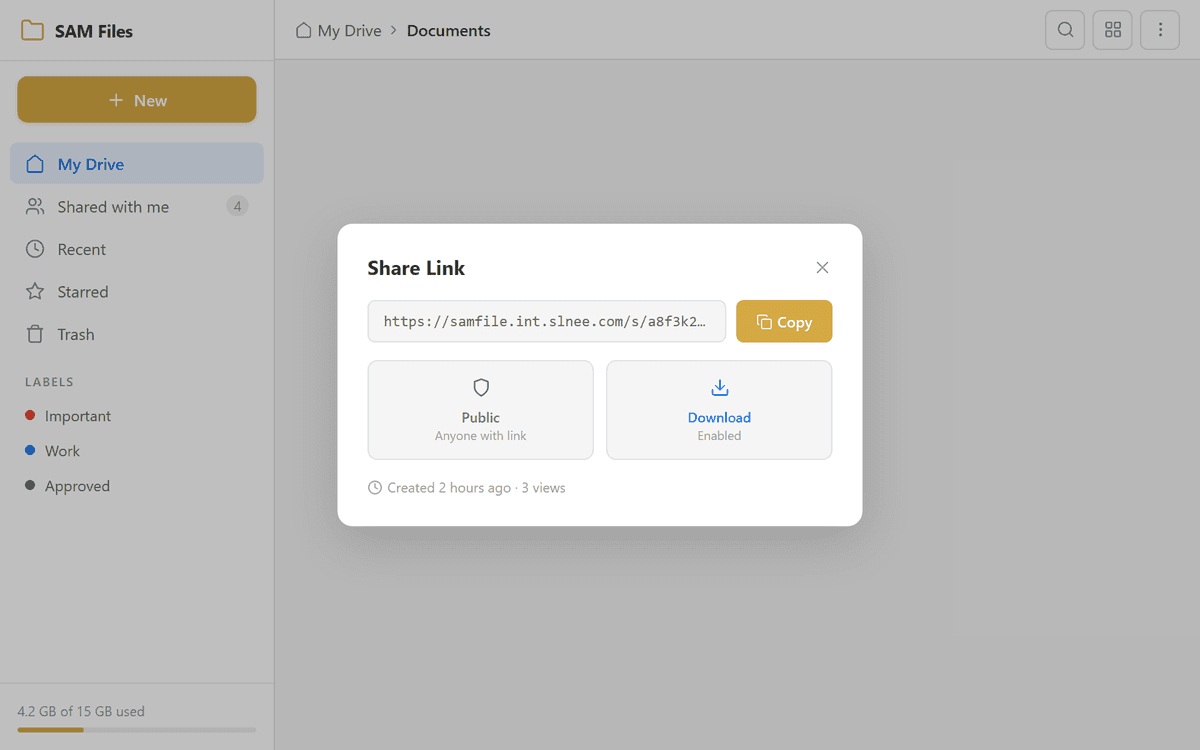
Public Link Sharing
Generate shareable links for any file or folder. Links can be accessed by anyone with the URL, and the public share page presents files cleanly to external users.
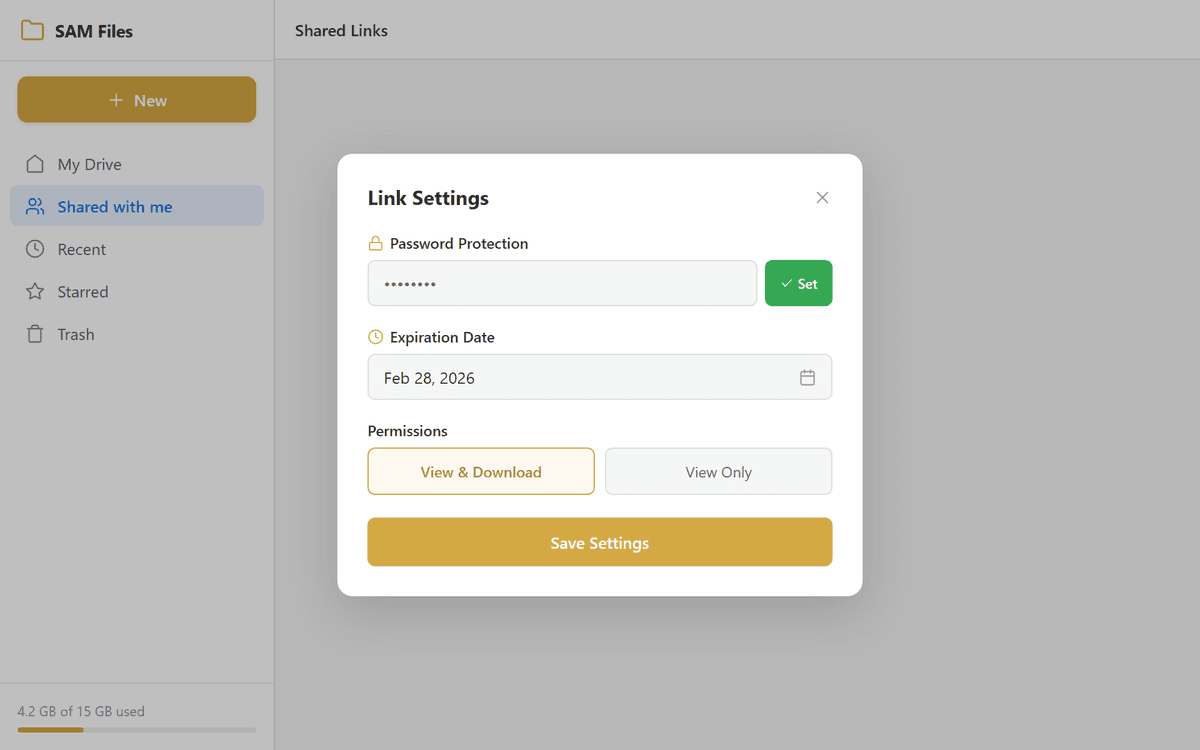
Password & Expiration
Protect shared links with an optional password and set auto-expiration dates. Control whether recipients can download the shared files or only preview them.
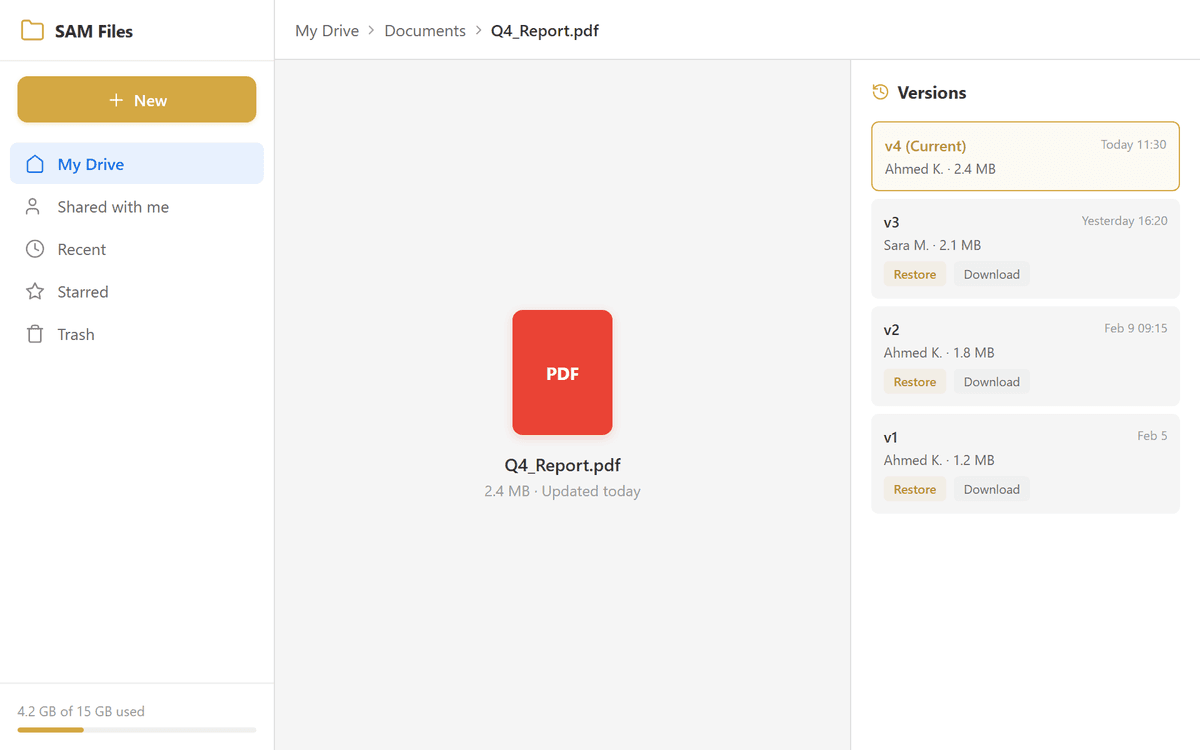
Version History
Every re-upload creates a new version automatically. View the full version timeline, download any previous version, or restore an older version with one click.
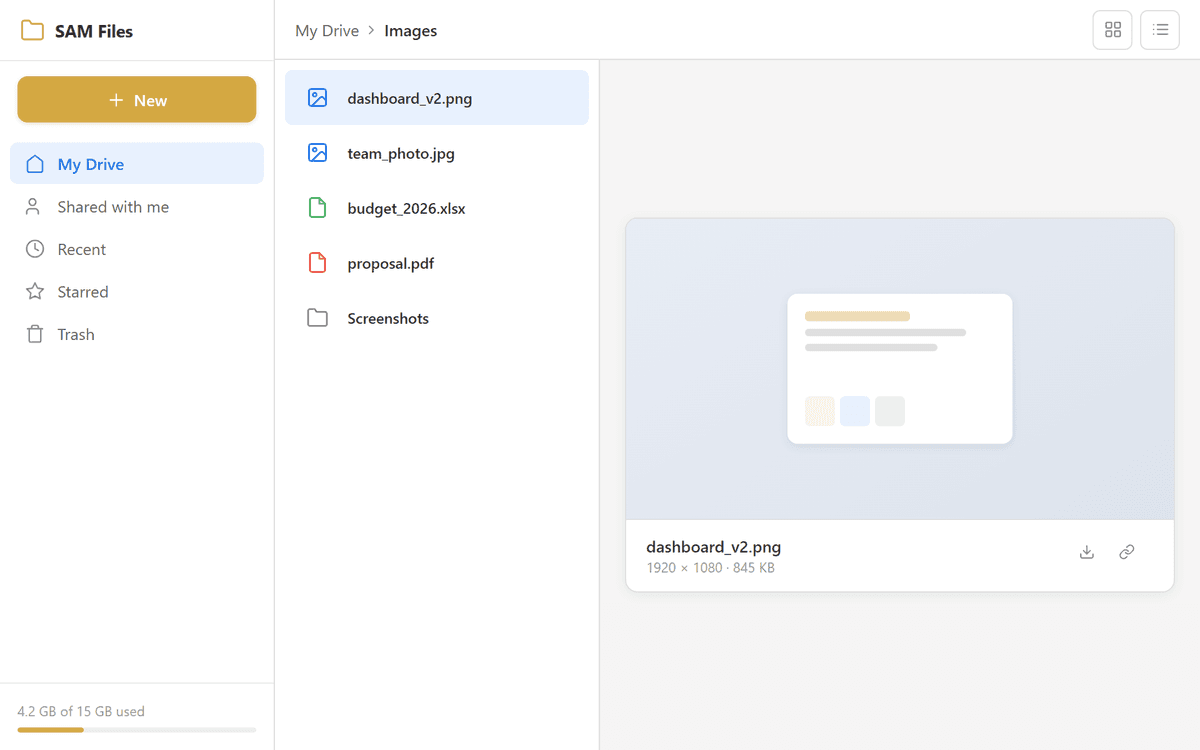
File Preview
Preview images, PDFs, videos, audio, and text files directly in the browser without downloading. A built-in preview panel opens alongside the file list.
Desktop Sync Ready and Enterprise Secure
Delta sync API, conflict resolution, E2EE foundations, and rate limiting for production-grade deployments
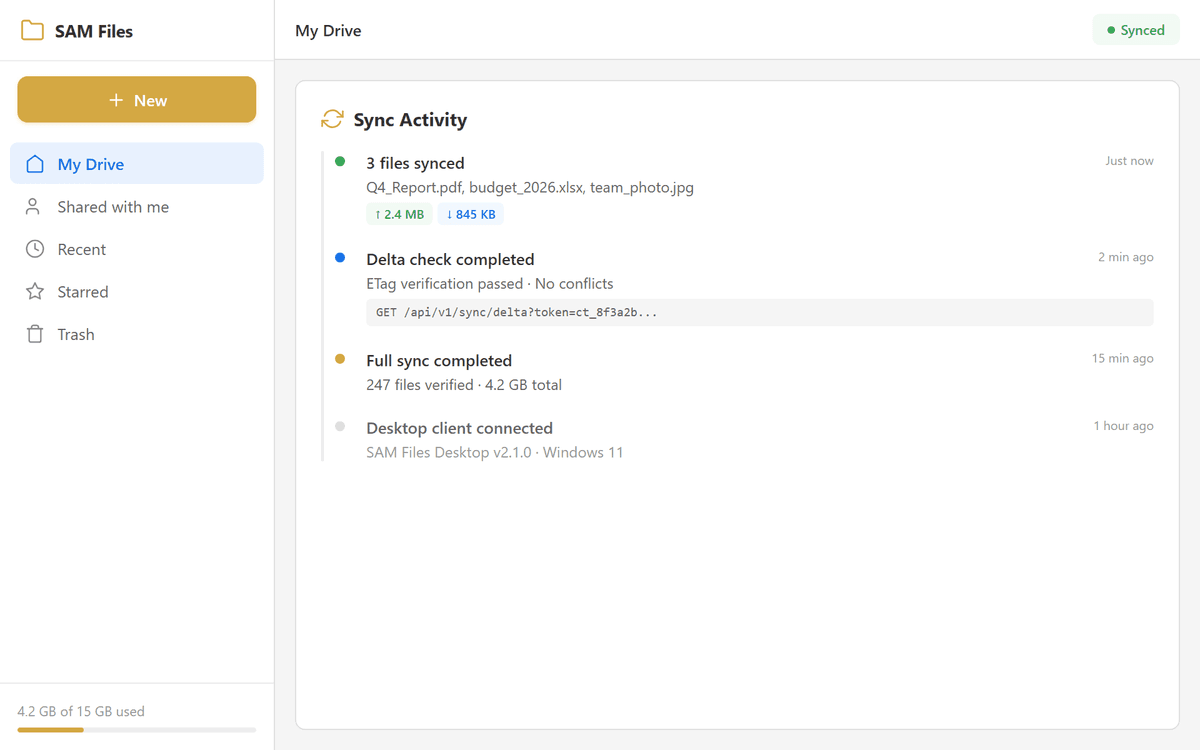
Delta Sync API
ETag and change token-based sync enables desktop and mobile clients to fetch only changed files, minimizing bandwidth usage.
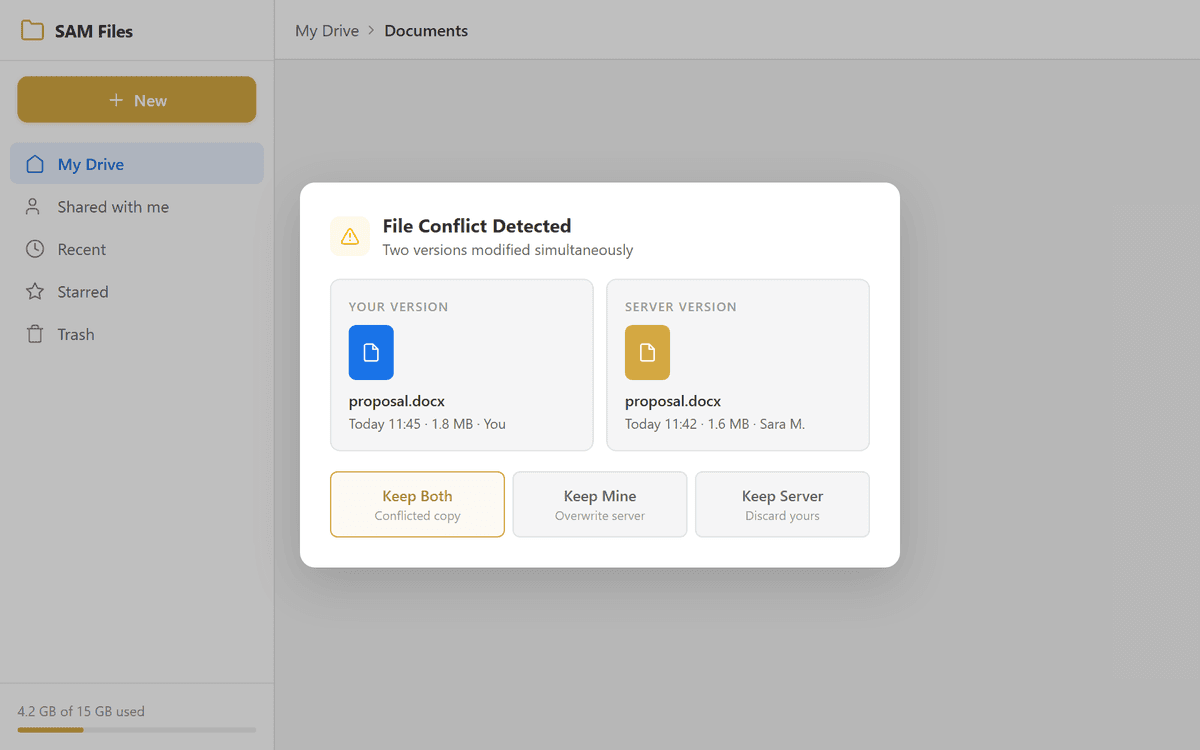
Conflict Resolution
When two users modify the same file simultaneously, the system automatically creates a conflicted copy, preserving both versions without data loss.
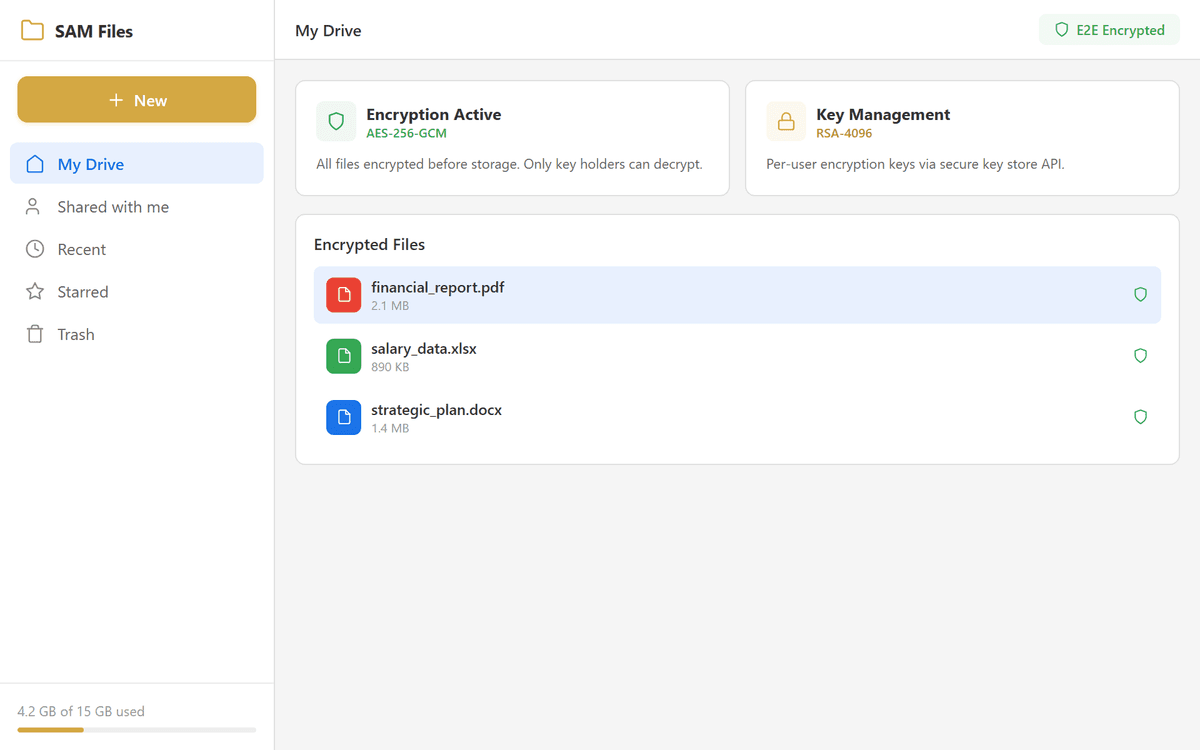
E2EE Foundations
End-to-end encryption foundations with encrypted file storage and key management API. Files are encrypted before storage, ensuring that only authorized users can access the content.
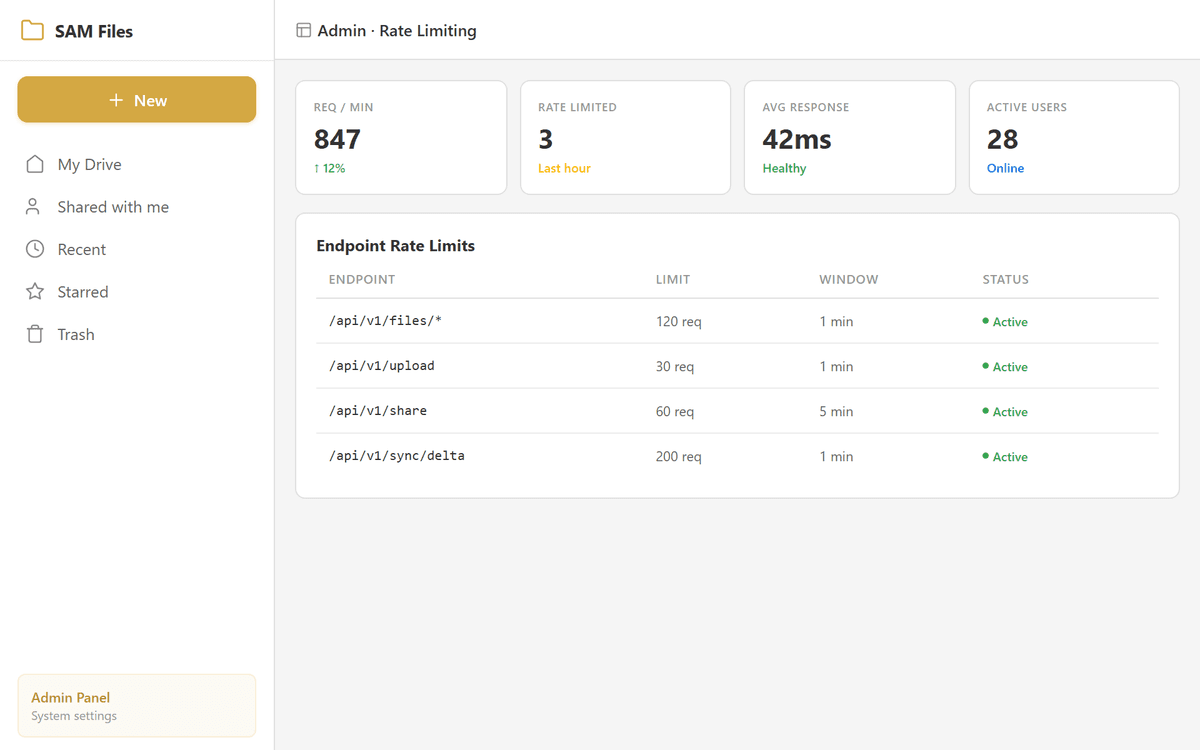
Rate Limiting
API request throttling protects the system from abuse and ensures consistent performance under load. Configurable rate limits apply per-user and per-endpoint.
A Modern, Premium File Manager
3-column layout, glassmorphism design, keyboard shortcuts, and micro-interactions
3-Column Layout
Sidebar navigation, content area, and details panel arranged in a professional three-column layout. Each panel adapts responsively to screen size.
Glassmorphism Design
Frosted glass sidebar with blur effects, indigo/violet gradient accents, pill-style navigation, rounded context menus with icons, and smooth animations throughout.
Pinned Folders & Quick Actions
Pin frequently accessed folders for instant sidebar access. Quick Action buttons for Upload and New Folder are always visible, plus notification badges on special views.
Keyboard Shortcuts
Full keyboard support — Delete, F2 (rename), Ctrl+A (select all), Ctrl+C/X/V (copy/cut/paste), Ctrl+Shift+N (new folder), and Escape (clear selection).
Context Menus
Right-click context menus with rounded corners, icons, smooth animations, and quick access to common actions including a Tags submenu for instant tagging.
Storage Breakdown
Interactive storage popover showing quota usage broken down by file type — documents, images, videos, audio, and other. Visual progress indicator for quota usage.
Connected to Your SamMail Ecosystem
SAM Files integrates natively with SAM Mail through a file picker SDK and save-to-files API. Attach files from your SAM Files storage directly in email compose, save email attachments into your file system, and share files via email — all authenticated through Webmail SSO.
Take Control of Your Organization's Files
Deploy SAM Files and give every team member secure file storage, version history, team workspaces, and WebDAV access — all within your own infrastructure