

An inbox that works for you
Everything you expect from world-class email (threaded conversations, instant search, automatic organization) in authentic Arabic-first design, with AI working for you and data that never leaves the Kingdom.
- Encrypted in transit and at rest
- Servers inside Saudi Arabia
- Web and mobile (live updates)
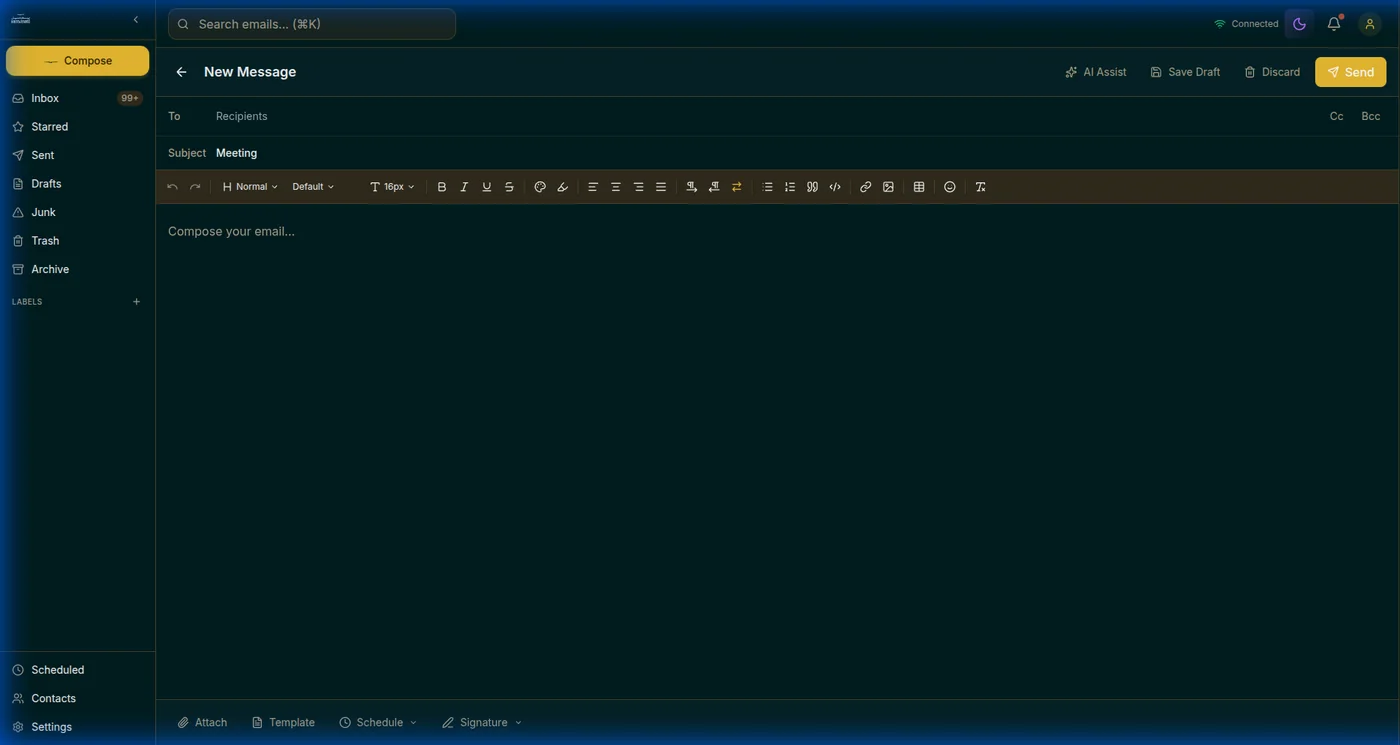
An editor worthy of your messages, with AI at your side
A rich editor with fonts, tables, lists, and RTL/LTR direction for mixing Arabic and English, with the AI assistant, scheduling, templates, and signatures right in its toolbar.
- AI Assist button: draft, improve, and translate inside the editor
- Scheduled send: write now, pick the time, edit before it goes
- Templates for repeated replies and multiple auto-inserted signatures
- Smart recipient suggestions, even people who emailed you first
An assistant that understands your inbox
Writes for you
Describe your message in one line and it writes it in full, in the tone you choose: professional, friendly, formal, persuasive.
Translates instantly
Translate messages across 13+ languages, in place, no copy-paste.
Summarizes threads
From a long conversation to: overview, key points, and action items.
Replies smartly
Short ready replies that fit the incoming message. Pick and send.
Summarizes attachments
AI summaries of supported files, straight from the attachments center.
Polishes your writing
Corrects and improves phrasing while keeping your meaning, with one-tap length control.
Organization that runs itself, even with the app closed
SamMail filters are pushed to the server itself (Sieve), so your rules run on every incoming message the moment it arrives.
Nested folders
Create folders within folders, named and ordered your way, and show or hide system folders as you like.
Colored labels
Distinctly colored tags you apply to messages, browsable from the sidebar.
Precise rule conditions
5 fields and 7 operators (contains, equals, starts with… up to regular expressions) with all-conditions or any-condition logic.
Automatic actions
Move, copy, label, star, archive, delete, or forward to another address, in the order you set.
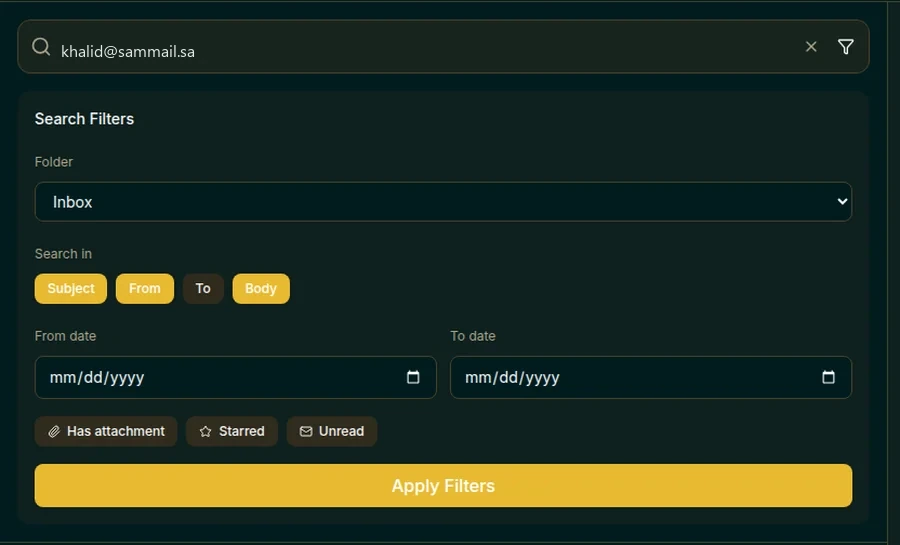
Search that finds the message before you finish typing
Instant search across all your mail, with visual filters: folder, date range, has attachments, starred, or unread, plus text operators for power users.
from:to:subject:has:attachmentTools that win you time every day
Attachments center
Every attachment in one place: filter by type, preview, bulk download, and resend in one tap.
Scheduled messages
A dedicated folder for everything you scheduled: edit, send now, or unschedule before the time.
Two address books
Your personal book and your company shared directory. Everyone you email is added automatically.
Security you can rest on
- Full encryption in transit and at rest, end-to-end between SamMail users
- Two-factor authentication and active-session management from your settings
- Automatic detection of suspicious messages, with the reason shown when available
- Unread count in the browser tab and live updates without refreshing
Frequently asked questions
Is the interface fully Arabic?
Yes, authentic Arabic RTL with full English support, and language/theme switching available even from the sign-in screen.
What is the attachment size limit?
25MB per message. For larger files, upload to Sam Drive and share the link in your message.
Are there keyboard shortcuts?
Yes, shortcuts for compose, search, and navigation make your mail faster.
Do updates arrive live?
Yes, new messages appear the moment they arrive with no page refresh, and the unread count shows in the tab title.
Does it work with standard mail apps?
It supports the standard protocols (IMAP/SMTP), so you can add it to your usual mail clients.